 TakeoffIQ
TakeoffIQ
TakeoffIQ

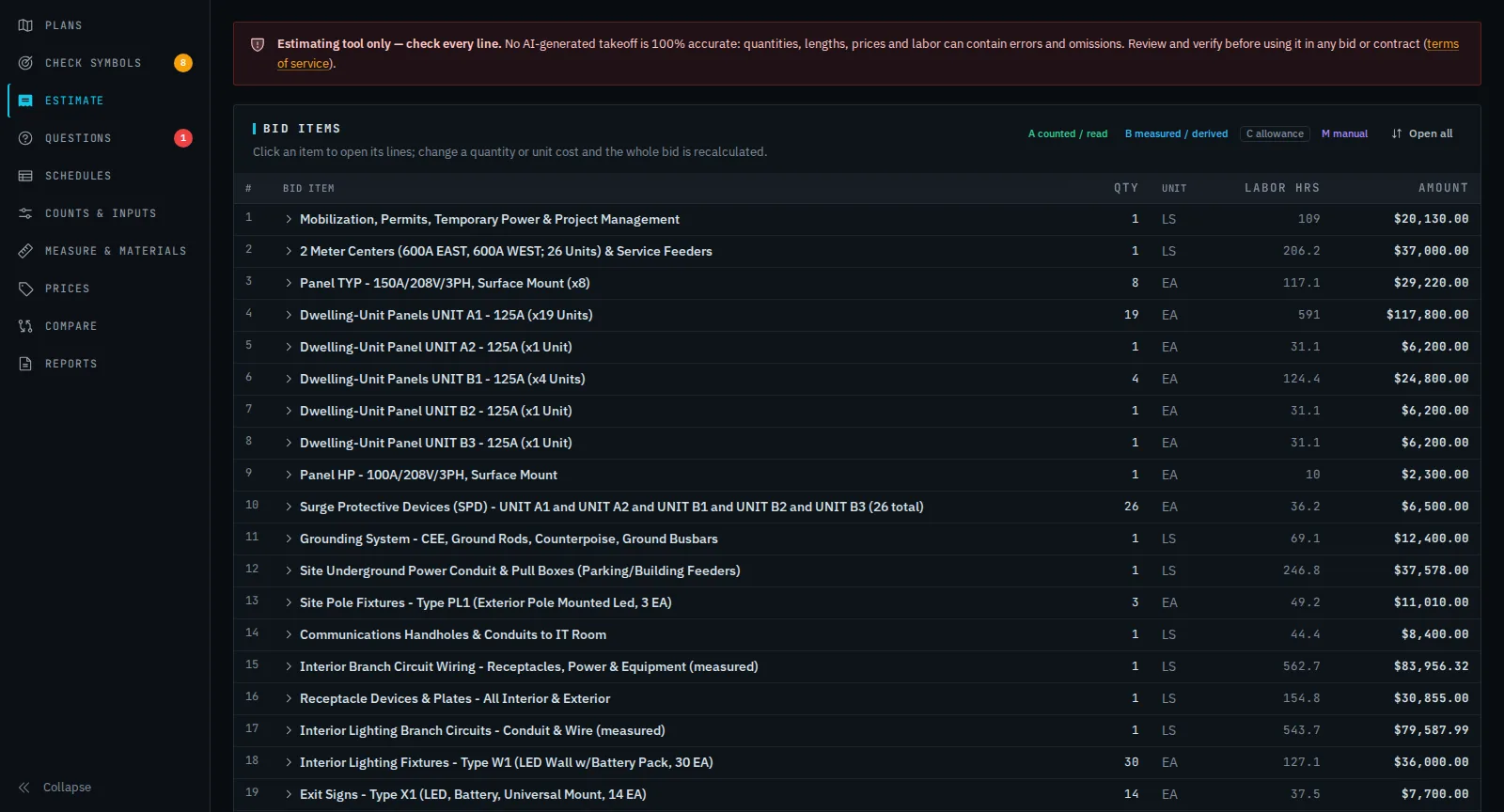
TakeoffIQ reads your electrical drawings the way an estimator does: it counts every device against the legend, measures conduit and wire at scale, reads the panel and fixture schedules, checks the specs, and builds an estimate you can review line by line.
14 days free · 3 takeoffs · no card needed
What it does
Receptacles, switches, sensors, fire alarm and fixtures are matched to the symbol legend on the print, sheet by sheet. Tags like G, WP and EWC set the device type.
Home runs and branch circuits are routed at drawing scale with mounting heights, slack and waste, so conduit, MC and wire are measured, not guessed.
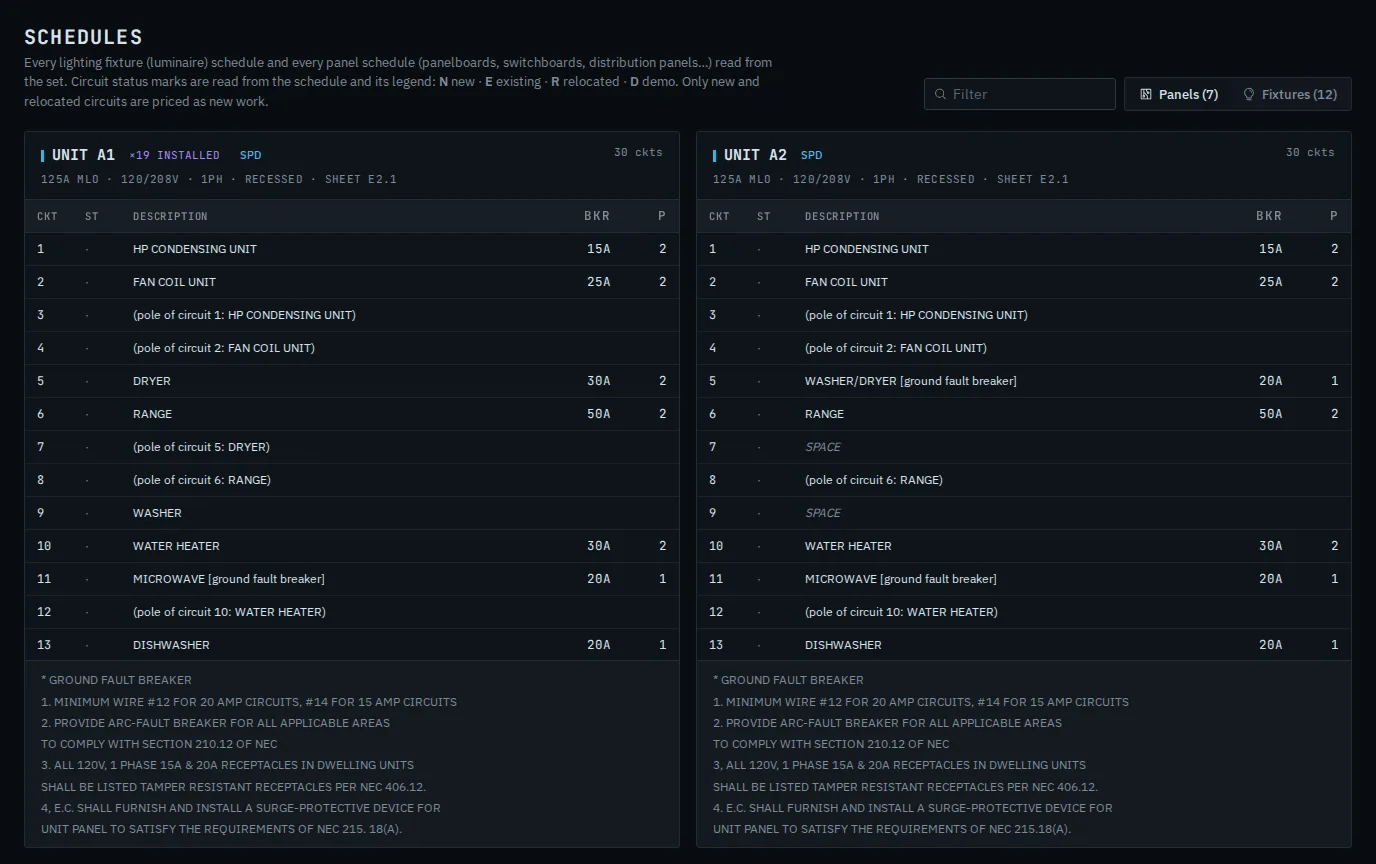
Every panel and lighting fixture schedule in the set, including N / E / R / D status marks on remodels, goes into the estimate and the report.
Wiring-method rules are read from the specifications, then NEC 334.10 by building type, so Romex is used only where it is allowed.
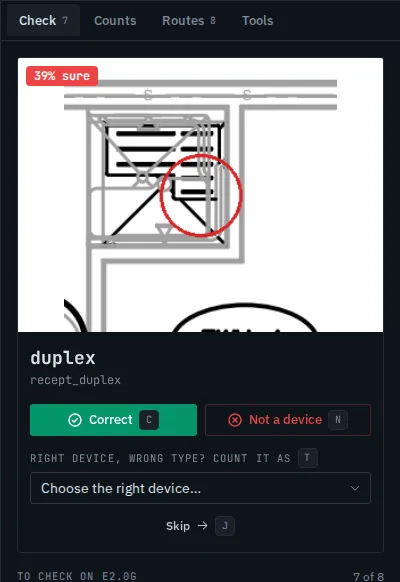
Every count carries a confidence score. You check the doubtful ones first - Correct, Not a device, or the right type from the legend - and it learns your symbols.
Estimate, proposal, scope of work, RFIs, value engineering, bid forms, and lighting and gear quote requests for your vendors.
Review
Each symbol carries a confidence ring. The least-sure ones come first: mark it correct, not a device, or pick the right type straight from the print's legend - a quad receptacle, a junction box. Your answers teach your company's symbol library for the next job.

Schedules
How it works
Drop the drawing PDFs, or pick the electrical and spec files out of a whole bid package - only those are uploaded.
Counts, routes and schedules are laid over the plans. Review the least-sure symbols first.
Price book, labor and markups are applied. Download the estimate, proposal and backup, ready to send.
Pricing
Start with a 14-day free trial (3 takeoffs). Upgrade, downgrade or cancel any time.
or $1,490/year - cloud (browser)
or $3,490/year - cloud (browser)
or $7,990/year - includes a desktop software license for 1 PC
billed yearly per seat
Questions
No AI takeoff is. Every quantity is shown on the plans with its confidence so you can check it, and every line must be reviewed by an estimator before it is used in a bid.
Only people on your company's team. Each company's files are kept in their own private area, and your drawings are never used for anyone else's account.
Pick the whole package folder in the browser; you choose which files go up (usually the electrical sheets and the electrical spec sections), so even very large packages upload quickly.
Yes, with the Business plan billed yearly (software license for one PC) and with Enterprise (one per seat), for working with packages that stay on your own drives. Starter and Pro are used in the browser.
Any time, from the billing page. Your jobs are kept, so they are there if you come back.
Upload a set and see the counts, routes and estimate for yourself.
Start your free trial